Cursor 不支持 Python 语法高亮的解决方案 | 胡扯 AI
https://mp.weixin.qq.com/s/EjLFwk497HTvhuML8Kv-YA
由于开源的 VS Code 在行业中的广泛接受度,几乎所有的新兴 AI 编程工具均采用 Fork VS Code 的方式以快速上线,例如 Cursor、Windsurf、VSCodium、Qoder(阿里)、CodeBuddy(腾讯)、Trae(字节)等等。
文章目录
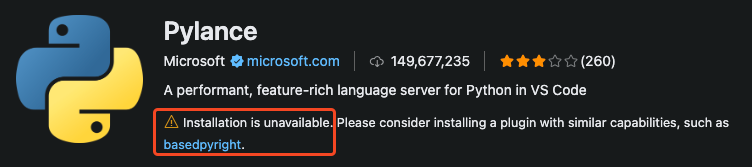
然而,由于 Microsoft 的限制,在 VS Code 中为 Python 语言提供高亮和静态检测功能的 Pylance 插件,不能在以上的衍生版 IDE 中使用。
Because we have plans to include Pylance in Microsoft products outside of VS Code that do not have the same license, business models and/or are closed-source (for example, fully managed products and services), we do not currently have plans to open-source Pylance.

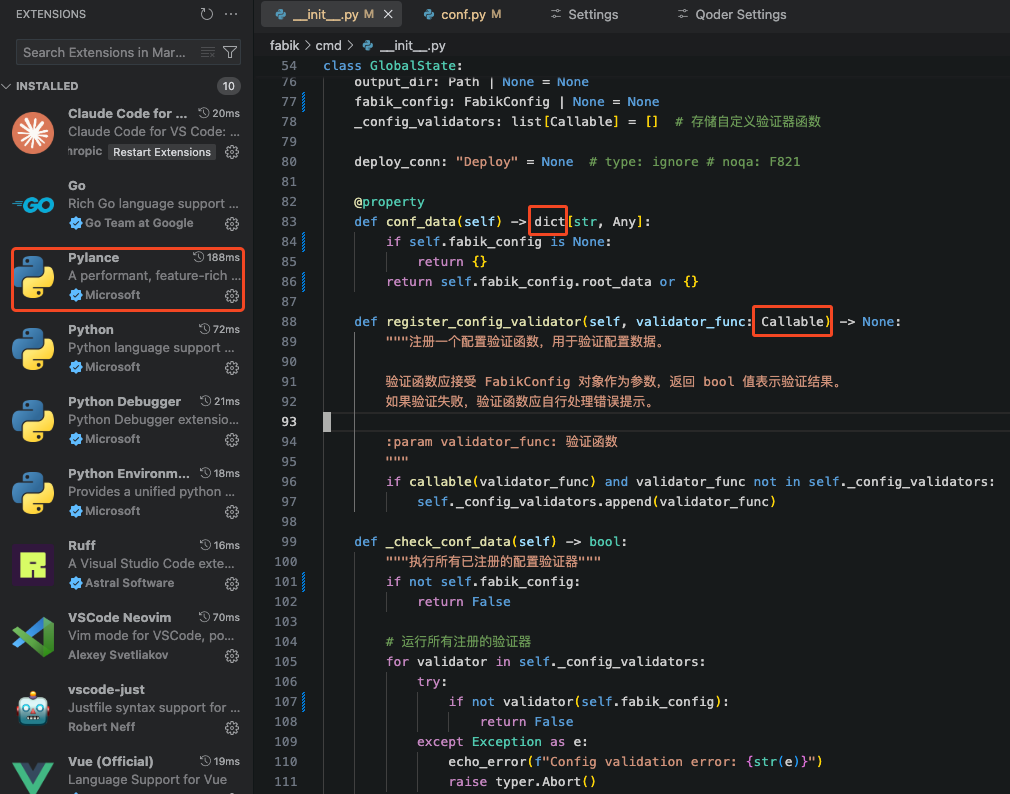
从上图可以看出,尽管我已经在 Qoder 中安装了 Pylance 插件,语法高亮却没有得到完整支持。
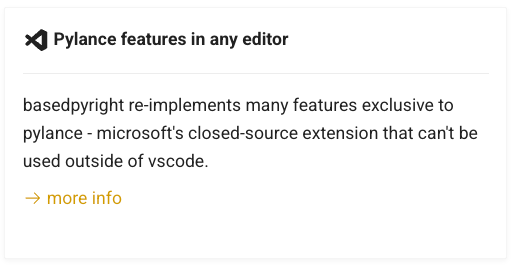
basedpyright
Trae、Qoder官方推荐的解决方案是 basedpyright:
https://docs.basedpyright.com/
Pylance v2023.10.40
可以安装旧版本的 Pylance 跳过限制。
根据网友测试,v2023.10.40 是最后一个支持安装在衍生 VSCode IDE 中的 Pylance 版本。
https://marketplace.visualstudio.com/items?itemName=ms-python.vscode-pylance
Windsurf Pyright
这个插件是 basepyright 的 fork,仅在 winsurf 中受到支持。
基于 basepyright 的修改包括:
- 在文件重命名时禁用重构代码。
- 将类型检查的默认严格性降低,以更好地匹配 PyLance。
- 默认情况下禁用内联提示,以匹配 PyLance,并且因为它们与自动完成交互。
https://open-vsx.org/extension/Codeium/windsurfPyright
参考链接
- Trae: 可以安装pyright插件试试,我们这边不支持pylance
- Trae: 暂不支持安装 VS Code 插件市场中某个版本的插件
- Trae: Python 无法通过 “Command/Ctrl + 鼠标左键” 跳转到函数定义
- VSCodium: Solution to Pylance not working with VSCodium
- Cursor: Unable to find Pylance in the extension marketplace
- Reddit: VS Code 开发者阻止在新版 VS Code 开源版本上运行新的 PyLance 扩展
- 文章ID:2905
- 原文作者:zrong(Jacky)
- 原文链接:https://blog.zengrong.net/post/cursor-python-syntax-highlight-fix/
- 【公众号】曾嵘胡扯的地方:https://mp.weixin.qq.com/s/EjLFwk497HTvhuML8Kv-YA
- 版权声明:本作品采用 署名-非商业性使用-相同方式共享 4.0 国际 (CC BY-NC-SA 4.0) 进行许可,非商业转载请注明出处(原文作者,原文链接),商业转载请联系作者获得授权。